DVD Profiler Release Notes

Version 3.0.0

Note: The changes listed below are just the tip of the iceberg. DVD Profiler 3.0 contains well over 1000 new features, enhancements, and bug fixes!

See below for specific changes in version 3.1.1

Important Changes
  • DVD Profiler 3.0 no longer requires a "Free Registration". Download and install on as many computers as you like with or without creating an Invelos account.
  • In-program advertisements are no longer displayed.
  • There is still no limit to the number of DVDs you can enter without a paid "Unlimited" registration key, but after entering 50 profiles, certain features will become unavailable until you enter a registration key.
  • Contribution of profiles and cover images, and voting on those contributions are now available only to DVD Profiler Unlimted registrants.
  • DVD Profiler 3.0 uses the full UPC/EAN code. Existing collections will be converted when your backup file is restored into 3.0, however you may need to convert some entries manually.
  • DVD Profiler 3.0 uses the full DirectX disc ID (which is globally unique) instead of the format ID used in prior versions. Some titles may need to be converted manually.
  • DVD Profiler 3.0 may not be installed directly over earlier versions. Instead, back up your collection from your current installation with File->Backup Profile Database, then restore it into 3.0 with File->Restore Profile Database.
  • The XML export system has been completely rewritten and is now fully standards-based. Changes in the format may require updates to third party tools that read this XML.
  • If you have a Premium registration key for DVD Profiler 2 or earlier, you can update to a 3.0 key for free.
  • Database updates are now made daily, at midnight US Central time.
  • DVD Profiler 3.0 requirements have changed. Windows 2000, Windows XP, or Windows Vista are now required, and the minimum supported screen resolution is now 1024x768.
New Features
  • Multiple database support
    • Keep as many databases as you like from one DVD Profiler installation.
    • Switch between databases at will without leaving the program.
    • Profiles and cover scans are stored seperately in each database.
    • The downloaded Online List is shared between databases.
  • New highly customizable interface.
    • Reposition, resize, reconfigure all you want.
    • Show only the information you want to see exactly where you want to see it.
    • HTML Sections take the place of skins, letting you define your DVD Profiler interface in HTML. Show as many HTML windows as you like and reposition them just like other interface elements.
    • New graphical views for features, audio and video.
    • Themes let you change the colors and interface for DVD Profiler.
    • Even the main menu and toolbar are customizable. Right-click on the toolbar for customization options.
  • Layouts
    • When you've arranged DVD Profiler's interface as you like it, save it to a Layout file
    • Save and load layouts to switch interfaces at will.
    • Upload and download layouts from Invelos' site.
    • Layouts can store window arrangement, thumbnail settings, menu layouts and more.
  • New collection list views
    • List View lets you display as few or as many columns as you like, selecting from a list of 16 fields like title, release date, purchase date and review. Customize columns for Owned, Ordered, and Wish List seperately.
    • Details View shows a thumbnail cover image next to detailed information about the title.
    • Thumbnail View is a highly customizable cover image view, with configurable colors, sizes, layout, and effects (shadow and reflection).
  • Welcome Page
    • The optional Welcome Page shows when DVD Profiler is launched.
    • Gives one-click access to several program features (such as adding titles to a specific collection type).
    • Shows upcoming releases from your Wish List.
    • Collection Spotlight picks titles from your Owned collection that you haven't watched, focusing on recent purchases.
  • Plugins
    • Plugin: Collection View is installed with DVD Profiler and lets you browse a filtered, sortable view of your collection. Keep DVD Profiler up or hide it for a collection view you can keep up all the time.
    • Plugin: View Flagged is installed with DVD Profiler and shows a live view of flagged DVDs in DVD Profiler, with cover scan and summary info. This plugin can be docked into the DVD Profiler interface and lauched automatically with DVD Profiler.
    • The plugin specification is available immediately for enterprising developers.
    • Plugins can have their own interface or (as in View Flagged) integrate directly into DVD Profiler's interface.
  • DVD Profiler Mobile
    • DVD Profiler Mobile is now available. A seperate registration key is required.
    • Automated synchronization with DVD Profiler Mobile is built in to DVD Profiler.
  • Built-in support for HD formats - HD DVD and Blu-ray, including new audio formats. The initial conversion will attempt to identify these from the Edition field.
  • Brand new Profile Edit interface with access to all data, including personal fields and cover scans.
  • Flag Sets let you save sets of flags and reload them to flag those profiles again.
  • Added ability to globally replace studios from the Tools->Edit Studios interface.
Enhancements
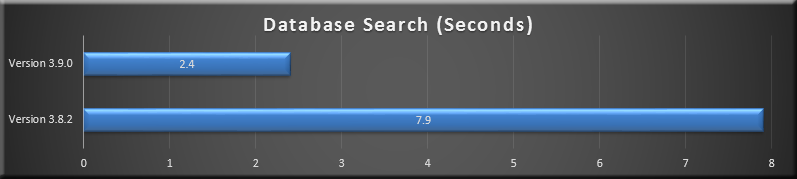
  • Performance is improved greatly across the board. Some operations in DVD Profiler 3 are up to several times faster than previous versions.
  • Completely revamped audio track system extends support to additional formats while simplifying entry and reducing confusion.
  • Added support for several popular languages in audio tracks.
  • Totally new database repair feature, including optional automated removal of unused cast, crew, and studios.
  • Several new operations for flagged profiles, including contributing and adjusting prices.
  • Added support for Windows Vista.
  • Connection Test feature self-configures DVD Profiler for your Internet connection.
  • Report and Layout author information is now on-demand, so no more annoying popups when selecting a report to print.
  • When contributing cover images, the existing images are shown next to the contributed images.
  • The new Profile Edit interface is smart and will only prompt to contribute if you make a change to a contributable field.
  • Downloading translations, reports, and layouts from the Invelos site is now easier than ever - "Open" the file and DVD Profiler will automatically install it.
  • All new Charts and Graphs system.
  • Increased maximum collection number size from 32,767 to 2 billion. That should do it.
  • Removed "Foreign" genre as this has been supplanted by the Country of Origin field.
  • Support for high DPI display settings improved.
  • New feature indicators for interviews, storyboard comparisons, and bloopers/outtakes.
  • Reports (and HTML sections in the new Layouts) now support PNG images.
  • Added optional notes for loaned, returned, and watched events.
  • New releases are now highlighted in the collection list. Set options under Thumnbail Settings.
  • Added filter by runtime.
  • Completely Redesigned XML export.
    • Standardized encoding and data formats.
    • Export output may be a single file or one file per profile.
    • In addition to Owned, Ordered, and Wish List export options, added All, Filtered, and Flagged
    • Several data elements (overview, easter eggs, notes, tags, locks, cast, and crew) may be optionally disabled in the export. Additionally, the number of cast and crew items per profile in the export may be limited.
  • DVD Profiler Online
    • Your online collection shows the profile information from your local collection without any need to lock your profiles.
    • Synchronization with DVD Profiler Online is vastly faster than previous versions. After the first synchronization, subsequent updates are nearly instant.
    • Performance of the online collections is greatly improved.
  • Cast and Crew Improvements
    • Cast and crew may now have birth year to help differentiate between actors and crew members with the same name.
    • Cast and crew entries include an optional "Credited As" field.
    • Cast entries include checkboxes for "Voice" and "Uncredited". The initial conversion will attempt to identify these fields.
    • Assign pictures to your cast and crew
    • Cast and crew may now appear as many times as required in the credits list.
    • Separate the cast and crew list with dividers
  • HTML Sections
    • HTML Sections support an enhanced and greatly extended version of the HTML Skin structure from ealier versions of DVD Profiler
    • For advanced users, optionally include a tag which auto-generates JavaScript variables for all the DVD data elements
And Much, Much More
  • Over 1000 individual additions, enhancements, and fixes are part of DVD Profiler 3.0. Way too many to list here, but if a bug existed in earlier versions, chances are it's fixed.

Changes in version 3.1.1:

New Features
  • Added Command File functionality, which lets you automate common DVD Profiler tasks. See the Advanced section in the help file for details.
Enhancements
  • Added an automated check for new version at startup
  • Added optional display banners for HD media in sleeveless HD cases
  • Sped up database restore by up to 30%
  • Improved timeout and error protection in the DVD Profiler Online upload routine
  • Eliminated performance penalty when box set autoexpansion is enabled
  • When adding a new entry by disc ID, disc ID and label now both populate into the profile's disc information
  • In credit info window, Credited As is now displayed for crew as well as cast
  • Discs added via DVD->Edit become available immediately in the Personal tab.
  • New command line parameter - /CloseExisting, attempts to close any existing running copy of DVD Profiler before launching
Fixes
  • Corrected error opening an alternate database after failing to open the first database
  • Corrected Access Violation when pressing enter from profile preview
  • Corrected "Cannot change visible in OnShow or OnHide" error when closing the program immediately
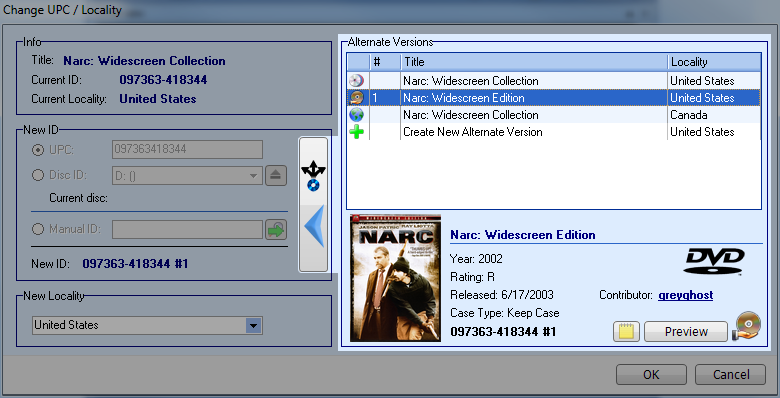
  • DVD->Change UPC now always selects the correct entry
  • /NoSplash command line option no longer flashes the splash screen
  • When a flag set is loaded, entries are checked for validity
  • Added Malaysian (Ringgit) currency
  • Corrected error when entering very large collection numbers
  • Country of origin sort descending menu is no longer reversed
  • Add DVD by Title list sort now correct when changing regions
  • Corrected error that could cause Collection->Flagged->Last Watched to hang
  • Corrected an error which allowed extra spaces to be entered in the registration information window name fields
  • Subitles and audio tracks now translate in HTML windows and profile previews
  • Subtitles now sort properly in HTML windows and profile previews, eliminating false difference indicator
  • Corrected error: qryCollection Field 'MEDIA_TYPES' not found when pasting an image into DVD Profiler

Changes in version 3.1.0:

Enhancements
  • Enhanced database repair to optionally preserve credits with images
  • Implemented unlimited nesting of parent/child profiles (box sets within box sets)
  • Added country of origin to charts/graphs, collection view and sort, and filters
  • Added SteelBook, Elite, THINpak case types, changed "Box Set" to "Slip Case"
  • Added Slip Cover checkbox for case type definition
  • Improved peformance loading the Add DVDs window and switching filters in the Add DVDs window
  • Improved matching for profiles added by disc ID; now also tries to match default locality first
  • Holding CTRL when selecting OK or Cancel from the profile comparison window will go to the next comparison
  • Users may now be designated as 'Princial' users, and are preselected for watching, etc
  • Integrated CueCat barcode scanner decoding directly into UPC entry fields
  • New menu option DVD->Select by UPC, also integrated with Cue Cat scanner, although any standard barcode scanner will work
  • In cover scan edit, only changed image will be re-saved if changes are made to only front or back
  • Optionally show counts on collection tabs
  • Subtitles now sort by language, with Commentary, Trivia, Other at end
  • Save and load filter sets, hold CTRL to skip saving or loading collection type and sort order
  • New option to run a report with a saved filter set
  • New option to embed a filter set into a report
  • Option added for charts to operate on Owned, Ordered, WishList, or any combination
  • Added 'not' selection for genre filter
  • New thumbnail quality setting may be set in registry 'ThumbQuality', integer 1-100, also increased default quality from 60 to 75
  • Highlight added for the filtered cast and crew members
  • Added DP_LoanDue, DP_CountryOfOriginsDiffer, DP_BoxsetContentsDiffer, DP_LockMediaType to layout header vars
Fixes:
  • Resolved issues with DVD Profiler Online synchronization which caused extraneous upload/downloads. Due to this correction, the first synch with 3.1 will take longer than normal.
  • Corrected setup error that prevented installation with some nonstandard "My Documents" locations
  • Invalid or blank date entry in loan to custom window will now default to the standard due date
  • Corrected SQL error when using runtime filter with other filters on the general page
  • Corrected errors backing up, restoring, etc with invalid dates and times
  • When cast is loaded in main display, first non-divider cast member is now selected
  • Increased threshold for image recompression during contribution; increased quality of recompression when it occurs
  • Corrected access violation after showing welcome page from menu, then selecting DVD->Edit
  • Changed high res image download to avoid transmission of registration information
  • Corrected an error that could cause incorrect data display after switching databases without reloading the program
  • Blank date entries (purchase date, release date, last edited) will no longer export an entry to the XML (was exporting 1899-12-30 or in some cases a random date)
  • Corrected ampersand display for Personalize DVD, Loan to Custom, and Watched By screens
  • In tags, corrected functions of Check All Children and Uncheck All Children
  • Corrected Exception and doubled users when editing users from Loan to Custom
  • Corrected access violation when showing disc location field and performing certain actions
  • Corrected an error in the new menu item integration menu that caused it to fail in certain cases. As a result, UPC should now show as an available field in the collection listing
  • Various additional error corrections
  • Corrected issue which caused NTSC/PAL setting to be changed when synching with DVD Profiler Online in some cases
  • Corrected access violation checking/unchecking Adult Titles in mobile synch settings, Upcoming
  • Actor name format now works correctly with color code names setting
  • Corrected a joining SQL error in the General filters
  • AnyDVD check made throughout in case AnyDVD is launched after DVD Profiler
  • "UPC not recognized" message removed when unchecking 'download from invelos'
  • Selection of first non-divider in cast now handles more than one leading divider
  • Editing studios from Edit DVD window no longer reverts studio changes
  • Drop-down for studios now selects current studio properly
  • Event notes now properly backed up and restored
  • If filter is present that hides children, editing the parent no longer removes them
  • When a profile is downloaded with no birth year, the existing local birth years for that profile now remain
  • Several additions and changes for translation support
  • Corrected some filters on the general tab being unable to clear
  • Title location now matching on correct sort title field
  • Removed quotes from "true", "false" from several header var object creation calls
  • Escaped quotes for DP_Studios, DP_Disc Location and Slot
  • Corrected DP_AspectRatio for non-US floating point number formats
  • Restoring a database while in details view no longer results in error messages

Changes in version 3.0.3:

Fixes:
  • In Add DVDs window, the Add Now button can now switch between collection types
  • Layouts now remember splits of cast and crew columns
  • Holding Ctrl when initiating a pocket synchronize does an automatic synchronize - all remote changes will be accepted and all current settings will be used
  • Added 'Detailed' property to cast and crew in HTML sections, shows Credited As, Birth Years
  • Added hasImage flag to cast and crew in HTML sections, HTML HEADER_VARS
  • Large cover image can be zoomed with mouse wheel (if not set to stretch)
Enhancements:
  • Added 'ShowBirthYears' property to cast and crew in HTML sections
  • Add better error trapping to cast info window for cover image display
  • Add DVD window, manual additions, edit/personalize window now shows proper collection type fields based on collection type
  • Integrated some updated translation files
  • In update preview, select none, select OK, then check the title in the list; update now correctly performed.
  • Running time now saved when entering new profile from Add DVD window
  • Corrected an error which could cause incorrect title to be selected for personalize, edit, or UPC change
  • In reports, DTS ES and Dolby-EX now show 6.1 indicators, not 5.1
  • HD DVD/BluRay no longer require or allow PAL/NTSC selection (program and online)
  • HD DVD/BluRay no longer require or allow Anamorphic setting
  • HD DVD no longer requires or allows region selection
  • Load Layout screen version check error corrected
  • Edit Profile, crew and cast are now both color coded
  • Header vars for roles now correctly escape quotes
  • Images now shown in HTML windows if opened database is changed after loading layout
  • In DVD Edit, cast/crew show credits works correctly if filter is set
  • In credits info, using green arrows to move through episode dividers no longer causes strange jumps in main list
  • Corrected error message when editing discs and inserted disc ID cannot be read
  • Ctrl-L now functions for edit locks in refresh updated profiles window
  • Arrow keys now move selection in refresh updated profiles window
  • Automatic move of child boxset profiles now reflected correctly online and in mobile
  • Change Disc ID for DVDs is now disabled if AnyDVD check is bypassed
  • Removed erroneous ampersands from hints in some menus
  • Various corrections for translation support
  • When large cover image display is not stretched, left open on DVD selection change, now recenters on profile selection change
  • General filters tab order corrected (region)
  • Added message that birth year is for distinguishing only
  • Loan filter field now set when setting loaned in mobile and synching
  • Corrected error which caused manual entries in the pending additions list to be added when Cancel is selected
  • Corrected a pair of drag/drop errors in the crew editor
  • Corrected error that could cause the Add DVD date filter to be off by one day
  • Corrected some spelling errors
  • Added birthYear to HTML sections, HEADER_VARS for cast and crew
  • Corrected a mobile synch error which could cause error messages, including "cannot create directory"

Changes in version 3.0.2:

Fixes:
  • Run report with selection as standard and box set entries to cases or contents, no longer reusults in error invalid field name
  • Disc information now saves and displays correctly into display field for collection list
  • Aspect ratio graphic now correct when regional settings are non-US
  • Progress bar should no longer stay on top when another app is run, and may now be minimized. Program will come to front when the operation completes.
  • Tags set in Set Tags window are now shown in edit window immediately
  • Sort title now defaults appropriately from title in manually added entries
  • Standard decimal separator now used in XML for prices
  • PurchasePrice XML node now is inside PurchaseInfo node
  • DVD->View History now updates the last watched.
  • Editing multiple box sets now displays correctly in collection list
  • Scanning images now functions correctly
  • Selection of preview HTML section is now remembered in profile preview
  • Online settings now remember proxy authentication settings
  • Other Features added to XML export
  • Mobile installation location now more robust, should locate in a variety of installation locations
  • When cast info window is too small no longer draws buttons strangely
  • Corrected several issues with Details View, including issues with incorrect record selection in Personalize and Change UPC
  • Changes to collection number from DVD->Edit now save correctly in all cases
  • + and - keys now open/close box sets in detail view
  • Entering a space is now possible in the General->Other field
  • Running in restricted mode, no longer tries to create some temp files under Program Files\DVD Profiler when double-click actor or filter by tags
  • In DVD Edit, personalize, changes typed into purchase date now save without having to leave the field first
  • Aspect ratio graphic should scale correctly on welcome screen
  • Audio languages wrong in DP_VARS in html windows
  • Loaned tag in XML incorrectly indicates True if ever loaned but not currently
  • Scrolling through cast with cast info buttons should skip dividers
  • Scrolling to bottom of preview window starts scrolling preview drop down
  • Can now erase existing release date
  • Removed 'Clear' from the purchase place drop down as it is no longer required
  • Items moved via add don't sort correctly (collection list)
  • HTML Sections - back image tag was DP_ImageFileFront; is now DP_ImageFileBack
  • Quote chars in cast/crew are now correctly escaped
Enhancements:
  • Added View 3D checkbox to Charts, so charts may be viewed in 2D
  • Hyperlink support added for cast/crew in HTML windows
  • Location last browsed for cover art is remembered
  • Cover image editor crop rectangle now easier to resize
  • Added graphics for media type to main display

Changes in version 3.0.1:

Fixes:
  • Crew contribution with divider as first entry shows first direction credit above the divider
  • Media Type not lockable from edit all locks
  • 'Delete' key deleting records in cast and crew
  • Incorrect display of dolby digital mono in reports
  • Video format filter checkboxes are not 3-way
  • Javascript errors in HEADER_VARS
  • Tags aren't saving
  • Audio tracks not allowing blank entries, and instead move tracks down to next available slot
  • XML: LabelSideA LabelSideB, DualSided missing in discs section in XML export
  • XML: Email address and phone number of users are not exported
  • XML: Purchase place type and website of retailers is not exported
  • XML: Encoding issues in some fields (e.g. studios)
  • XML: Writing of box set contents incorrect
  • XML:Added collection number
  • XML: SRP and purchase price not listing type and amount distinctly
  • Sort title not saving
  • Floating point error dragging images from firefox, but some images may not work with drag/drop, so in that case use copy/paste
  • Some profiles not showing in credits info window
  • Odd behavior with return key in HTML editor
  • Dual Layered setting for discs side B not saving
  • Watched By date not setting properly
  • Incorrectly generating ProfileOld.XML, ProfileNew.XML files
  • Unable to enter blank country of origin after one exists
  • Error that caused erroneous 'changes made' message when none made in DVD Edit
  • Personal information not saved appropriately when adding profiles
  • Disc ID Side B description is now properly saved
  • Adding titles manually always goes to Owned collection
  • Error changing country of origin in some translations
  • Other Features not display properly in all view types
  • Cast filter not showing birth year
  • Access violation when adding, cancel, close
  • Reassign Collection Numbers changes not reflected in online collection
  • DVDTRans has no active transaction saving profile
  • Back images aren't resizing down if too large during contribution
  • Access violation restoring invalid audio formats
  • Repair utility deleting crew members that are in use, resulting in erroneous crew display
  • In DVD Edit, profiles are duplicated in the box set list when revisiting this page
  • HTML Notes not saving from personalize if that's the only change made
  • Some text cut off in Change UPC window under high DPI settings
  • 'Append Title Articles' option not taking effect immediately
  • Default preview html has original title twice
  • Cast doubling on save for disc id profiles
  • Copy/paste of cast losing voice, uncredited checkboxes
  • Installed icon has wrong description
Enhancements
  • Added "Credited In" count to credits info window
  • Changing UPC no longer clears the disc IDs
  • Profiles added manually by title now show edit window immediately
  • Added option to right-click menu in Refresh Updated Profiles to skip unchanged
  • Added google image search to other cast/crew image displays